Google Business Reviews: The Complete Guide to Getting, Managing, and Responding to Reviews
Google Business Reviews are the first thing people check before they trust you with their money, and I mean that literally. Think about the last time you picked a new dentist or decided where to grab dinner in a new city. You didn’t read their “About Us” page first. You scrolled straight to the stars. Four and a half or higher, you kept looking. Below that, you second-guessed yourself, and probably clicked away.
That split-second judgment happens to your business too, dozens of times a day, whether you’re paying attention to it or not. I’ve had clients who were doing everything right on paper — solid service, fair pricing, happy customers — and still losing leads simply because their review profile looked thin or outdated next to a competitor’s. Reviews aren’t just a trust signal anymore, either. They’re one of the biggest local SEO ranking factors Google uses to decide who shows up first when someone nearby searches for what you do.
So let’s get into what Google Business Reviews actually are, why they carry so much weight, and exactly how to build a review profile that works in your favor instead of against you.
What Are Google Business Reviews?
Google Business Reviews are the star ratings and written feedback customers leave directly on your Google Business Profile, visible in Google Search and Google Maps whenever someone looks you up. When you Google a business name and see that row of stars sitting right under the listing, along with snippets of what people are saying — that’s it. That’s the whole system, and it’s more powerful than most business owners realize.
Here’s what makes them different from reviews on other platforms: they show up before a customer even reaches your website. Someone searching “plumber near me” sees your rating in the results themselves. They don’t have to click through to Yelp, or dig through your Facebook page. Google puts your reputation front and center, right at the moment someone’s deciding whether you’re worth a call.
Google Business Reviews vs Google Business Profile
I get this question a lot, so let’s clear it up. Your Google Business Profile (formerly Google My Business) is the entire listing — your hours, address, phone number, photos, website link, and yes, your reviews. Think of it as the whole storefront.
Google Business Reviews are just one room inside that storefront: the feedback section. You can’t have reviews without a Business Profile to attach them to, but your profile involves a lot more than just what customers say about you. When I audit a client’s local SEO, I always look at the full profile first, because a great review section sitting on top of an incomplete or outdated profile still won’t convert the way it should.
What Information Can a Google Review Contain?
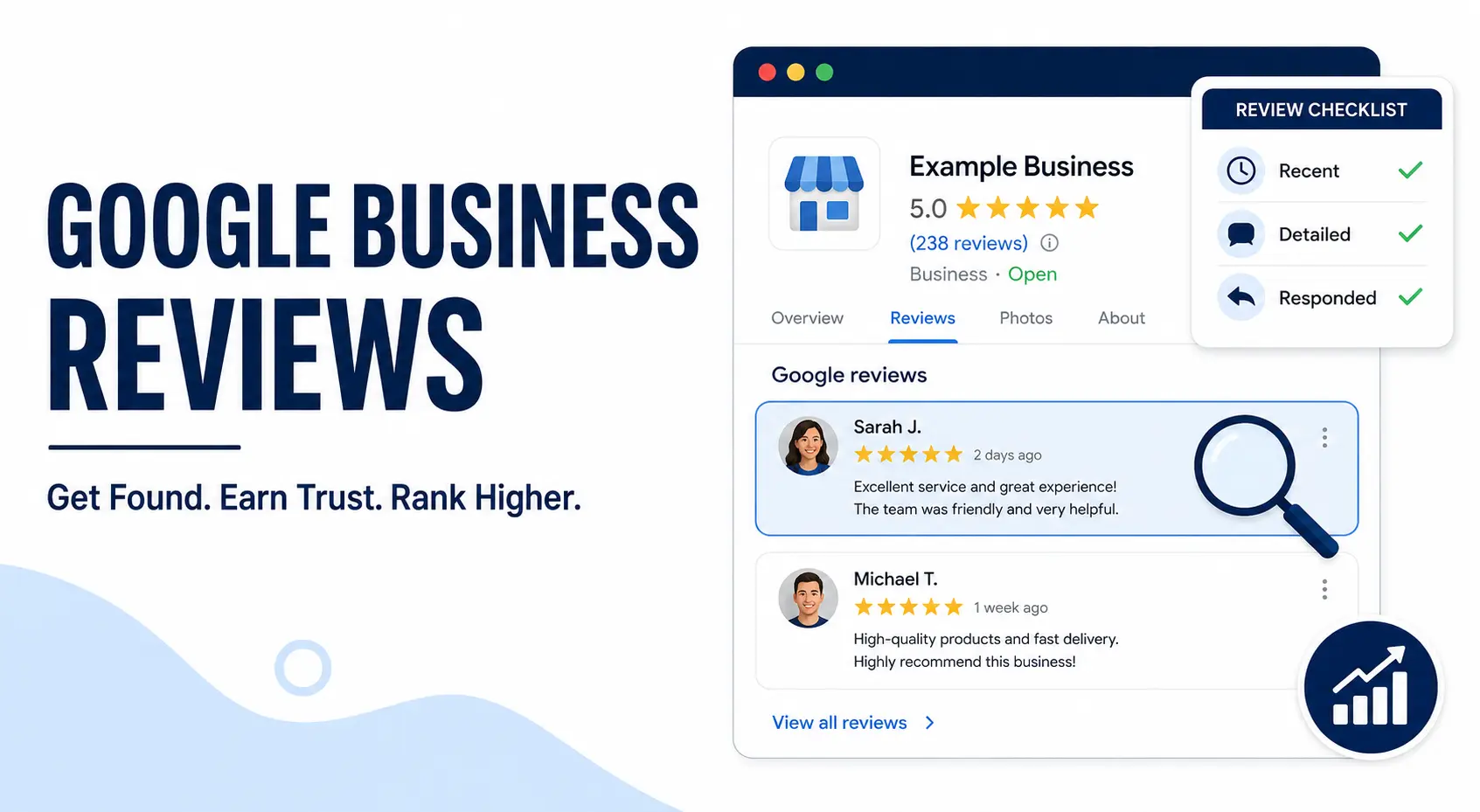
A Google review isn’t just a number of stars. Each one typically includes:
- A star rating from 1 to 5
- Written feedback, if the customer chooses to add it (not required, but far more persuasive when they do)
- Photos, which customers can attach directly to their review
- The reviewer’s name and profile photo, pulled from their Google account
- A timestamp, showing how recent the review is
- Your response, if you’ve replied, which shows up right underneath
That photo option is one people underestimate. A review with a real photo of your product, your storefront, or your team at work carries a different kind of trust than plain text. It’s proof, not just praise.
Why Are Google Business Reviews Important?
Let’s be honest about what’s actually happening when someone searches for a business like yours. They’re not just comparing prices or reading your service list. They’re trying to answer one question fast: can I trust this business? Reviews answer that question before you ever get a chance to.
I’ve watched this play out over and over with clients. Two businesses, similar pricing, similar service area — the one with more recent, more detailed reviews wins the call almost every time. It’s not close. People trust other customers more than they trust your marketing copy, no matter how good that copy is.
But the impact goes beyond just winning over a skeptical customer. Reviews shape three things at once: whether people trust you, whether people choose you over a competitor, and whether Google ranks you high enough for people to find you in the first place. That last part is really an off-page SEO function, since reviews live entirely outside your website but still carry real weight in how Google decides who to show first.
Google Reviews and Local SEO Rankings
This is the part most business owners miss. Google’s local ranking algorithm — the one that decides who shows up in the Local Pack, that box of three businesses with a map at the top of search results — weighs reviews heavily. Specifically, it looks at three factors:
- Review quantity is how many reviews you have compared to competitors in your area
- Review quality is your average star rating
- Review recency is how fresh your reviews are, not just how many you’ve racked up over the years
That last one trips people up. I’ve had clients with 200 reviews sitting at a 4.7 average, still losing ground to a competitor with 60 reviews — because that competitor was getting new reviews every week, and theirs had gone quiet for eight months. Google reads that recency as a signal of an active, trustworthy business. A stagnant review profile, even a strong one, starts to lose its edge.
There’s a fourth factor that doesn’t get talked about enough: keywords inside your reviews. When customers naturally mention what you do — “best plumber in Austin” or “fixed my AC same day” — Google picks up on that language and connects it to relevant local searches. You can’t script this, but you can nudge it by asking happy customers what specifically stood out to them, rather than just asking for “a review.”
Put simply, reviews aren’t just about looking good to potential customers. They’re actively telling Google whether you deserve to be found.
How to Get More Google Business Reviews
Here’s the truth nobody wants to hear: happy customers rarely leave reviews on their own. They mean to. They just get busy, forget, or figure someone else will do it. The businesses with strong review profiles aren’t necessarily better than their competitors — they’re just better at asking, at the right time, in the right way.
Make It Stupidly Easy With a Review Link or QR Code
The single biggest reason customers don’t leave a review isn’t reluctance, it’s friction. If someone has to Google your business name, click through to your profile, then hunt for the “write a review” button, you’ve already lost half of them.
Grab your direct Google review link (you can generate this from your Business Profile dashboard) and put it everywhere, in email signatures, on receipts, on a small counter card, or turned into a QR code customers can scan on their way out. I’ve had clients double their monthly review count just by replacing a vague “please review us!” sign with a QR code that dropped customers straight into the review box, no searching required.
Time Your Requests Around the Moment of Satisfaction
Timing matters more than most people think. Ask too early, and the customer hasn’t experienced the full value of what you did yet. Ask too late, and the moment’s gone, they’ve moved on mentally.
The sweet spot is right after the “win” — right after the meal was finished and they’re paying the bill, right after the repair is done and it works, right after the package arrives and it’s exactly what they ordered. That’s when satisfaction is at its peak and friction is at its lowest. For service businesses, that often means asking in person or via text within an hour or two of the job finishing, not three weeks later in a generic newsletter blast.
Use Email and SMS Templates That Don’t Sound Like a Robot
A generic “please leave us a review” request gets ignored. A specific, personal one gets acted on. Here’s a simple template I’ve used with clients that consistently performs better than the generic version:
“Hi [Name], thanks again for choosing us for [specific service/product]. If you have 30 seconds, a quick review would genuinely help other people in [city] find us. Here’s the link: [review link]. Thank you!“
Notice what’s doing the work there, it names the specific service, it sets a low time expectation, and it explains why it matters (helping others, not just helping you). That small shift — from “help us” to “help other people find us” — makes the ask feel less self-serving and easier to act on.
How to Ask for Google Reviews Without Violating Google’s Guidelines
This is where a lot of well-meaning business owners accidentally get themselves in trouble. Google has strict rules about how reviews can be collected, and breaking them, even unintentionally, can get reviews removed or your whole profile flagged. So before you launch any review campaign, here’s what you actually need to know.
You can’t offer incentives for reviews.
This is the big one. Discounts, freebies, entries into a giveaway, cash — none of it, in exchange for a review. It doesn’t matter if you ask for “honest feedback only” in the fine print. Google treats any review tied to a reward as a policy violation, and if they catch a pattern of it, they can wipe out your reviews or suspend your profile entirely.
You can’t selectively ask only happy customers.
I know the temptation here. It feels smarter to only ask the customers you’re confident will leave five stars. But Google’s guidelines require you to ask all customers, not cherry-pick the ones likely to rave about you. In practice, this is less risky than it sounds — happy customers are also just more likely to actually follow through and leave a review, so asking everyone tends to skew positive anyway.
You can’t set up review gating
This is a specific tactic where you ask customers to rate their experience privately first, then only direct the happy ones to Google while quietly filtering out the unhappy ones before they ever reach a public platform. It sounds harmless, even smart, but Google explicitly bans it because it manipulates your public rating into looking better than it really is.
You can’t leave reviews for your own business, and neither can your employees.
This one seems obvious, but I’ve seen it happen more than you’d think, especially with employees trying to be helpful. Google can detect these patterns (same IP address, same device, employee accounts tied to the business), and it puts your entire profile at risk.
The safest approach is also the simplest: ask everyone, ask honestly, and let the reviews land where they land. A profile with a genuine 4.6 rating built the right way will always outperform a manipulated 5.0 that eventually gets flagged and wiped out.
How to Respond to Google Business Reviews
Here’s something most business owners get backwards: they think review responses are for the person who left the review. They’re not, really. That customer already made up their mind. Your response is for every future customer who reads that review before deciding whether to trust you. That’s who you’re actually writing for.
Responding to Positive Reviews
It’s tempting to just hit “thanks!” and move on, but a thoughtful response to a good review does two things: it shows future customers you’re engaged, and it reinforces the specific thing that made the experience great, which nudges other reviewers toward mentioning similar details.
“Hi [Name], thank you so much for taking the time to share this! We’re thrilled to hear the [specific detail they mentioned] made such a difference. It means a lot to our team, and we hope to see you again soon.”
Notice that it references something specific from their review rather than a generic “thanks for your feedback.” That specificity is what makes it read as genuine rather than copy-pasted, both to the original reviewer and to anyone reading it later.
Responding to Negative Reviews
This is where a lot of business owners freeze up, or worse, respond defensively. I get it, it feels personal. But here’s the thing: a calm, professional response to a bad review often does more for your reputation than a pile of five-star reviews. It shows future customers exactly how you handle problems, which matters more to a lot of people than whether problems happen at all.
A few rules I always give clients:
- Don’t argue publicly
Even if the customer is wrong, or exaggerating, arguing in the comments makes you look defensive, not right. - Acknowledge the specific issue
Not just “we’re sorry you had a bad experience,” which reads as dismissive. - Take it offline for resolution
Invite them to call or email to sort things out, rather than hashing out details publicly. - Respond quickly
Ideally within 24 to 48 hours. A slow response to a negative review reads as indifference.
Here’s a template that works well:
“Hi [Name], thank you for bringing this to our attention, and I’m sorry to hear [specific issue] didn’t meet your expectations. This isn’t the experience we aim for. I’d like to make this right — could you give us a call at [phone number] so we can sort this out directly?”
Future customers reading this see a business that owns its mistakes and fixes them. That’s often more persuasive than perfection.
How to Remove a Google Business Review
Let’s set expectations right away: you can’t remove a review just because it’s negative or unflattering. Google’s whole system is built around reviews being an honest reflection of customer experience, and “I don’t like what this says about me” isn’t grounds for removal. But there are legitimate situations where a review genuinely violates Google’s policies, and in those cases, you do have a path to get it taken down.
Reviews That Actually Qualify for Removal
Google will consider removing a review if it falls into one of these categories:
- Fake or spam reviews
Left by someone who was never actually a customer - Conflict of interest
Reviews from competitors, current or former employees, or anyone with a clear bias - Offensive content
Hate speech, harassment, or explicit language - Off-topic content
A review that’s actually about a different business, or has nothing to do with an actual customer experience - Personal information
Reviews that expose private details like phone numbers or addresses - Illegal content
Anything promoting illegal activity
If the review doesn’t fall into one of these buckets, no matter how unfair it feels, Google generally won’t remove it.
How to Flag a Review for Removal
If you believe a review genuinely violates policy, here’s the process:
- Log into your Google Business Profile
- Find the review in question under the “Reviews” tab
- Click the three-dot menu next to it and select “Flag as inappropriate”
- Google’s team reviews the flag and decides whether it violates policy
Here’s the honest part: this process can take anywhere from a few days to several weeks, and there’s no guarantee of removal even when a review clearly violates the rules. I’ve had clients wait a month for a blatantly fake review to come down, and others get a response within 48 hours. Google doesn’t publish a timeline, so patience is part of the process.
If flagging doesn’t work and you’re confident the review violates policy, you can escalate through Google’s Business Profile support directly, or in more serious cases (like defamation or illegal content), consult a legal professional about next steps. That’s outside what a flagging request can resolve on its own.
Why Are My Google Reviews Not Showing?
This is one of the more panic-inducing moments for a business owner: you check your profile and reviews that were there last week have just disappeared. Or a customer swears they left a review, but it’s nowhere to be found. Before you assume the worst, here are the most common reasons this happens.
- Google’s spam filter caught it
Google runs every review through an automated system designed to catch fake or suspicious activity. Sometimes it gets this right and removes genuinely fake reviews. Sometimes it’s overly cautious and filters out a completely legitimate one, especially if the reviewer has a new or inactive Google account, left the review from an unusual location, or posted it using a generic-sounding name. - The reviewer’s account looks suspicious to Google, even if they’re a real customer
A brand-new Google account, one with no profile photo, or one that’s never posted a review before, can trigger the same spam filter, even though the person behind it is completely genuine. There’s not much you can do about this one directly except ask the customer to try again from a more established account. - There’s a delay in processing
Not every review shows up instantly. Sometimes there’s a lag of a few hours to a couple of days between when a customer submits a review and when it actually appears live on your profile. - It violated a policy and got removed
If a review disappeared and you’re confident it wasn’t spam-filtered, it may have been reported by someone (potentially even a competitor) and removed for violating one of the categories we covered earlier. - Your Business Profile itself is under review or suspended
In more serious cases, if Google flags your entire profile for a policy issue, unrelated to any single review, all your reviews can temporarily stop displaying while the account is under review.
If you notice a pattern of legitimate reviews disappearing, the best move is checking your Business Profile’s support section for any account-level notifications, since that’s often where the real explanation is sitting, quietly, while you’re busy investigating individual reviews.
Also Read: Brand Mentions in SEO: The Complete Guide to Getting Tracked, Cited, Linked and Measured
How Many Google Reviews Does a Business Need?
I get this question constantly, and the honest answer is: there’s no magic number, but there is a useful way to think about it. What matters isn’t hitting some arbitrary target, it’s staying competitive in your specific local market.
Look at your direct competitors first, not industry averages
A number like “50 reviews” might sound solid until you realize the three businesses ranking above you in your area each have 150+. Local SEO is relative. You’re not competing against a national benchmark, you’re competing against the businesses showing up in the same Local Pack as you.
Quantity matters, but consistency matters more
A business with 40 reviews trickling in steadily over the past year will often outperform one with 100 reviews that were all collected in a single push three years ago and nothing since. Google reads ongoing review activity as a sign your business is still active and still earning trust, which ties back to that recency factor we covered earlier.
As a general benchmark
most local businesses want to aim for at least 10 to 15 reviews just to start appearing credible to a new visitor, since a listing with only two or three reviews tends to read as untested. From there, businesses in more competitive industries (think restaurants, contractors, dentists) often need 50 to 100+ just to stay in contention with established competitors, while businesses in less saturated niches can hold their own with far fewer.
The rating matters as much as the count
A business with 200 reviews at a 3.8 average is often outperformed by a competitor with 60 reviews at a 4.7 average. Once you’re above roughly 4.3 to 4.5 stars, additional review volume matters more for visibility than for conversion, since most customers have already made their trust decision by that point.
If you’re not sure where you stand, the fastest way to find out isn’t guessing, it’s actually looking at what your top three local competitors have right now, and treating that as your real benchmark, not some number pulled from a generic blog post.
Manage Google Business Reviews with Tsabit
Google Business Reviews aren’t something you set up once and forget about — they’re a living part of your local SEO, one that needs ongoing attention as new reviews come in, competitors shift, and your business grows. If you’ve made it this far through the guide, you already know there’s a lot of moving pieces to manage well, from asking at the right time to responding the right way to keeping an eye on what’s actually moving your rankings.
The good news is, you don’t have to manage all of it alone. At Tsabit Insight, I provide freelance SEO services built around exactly this kind of process — strengthening your review profile, tightening up your Google Business Profile, and turning your online reputation into something that actually drives local visibility and conversions. Every project starts with understanding your goals and your market, the same way this guide does, before any strategy gets put into action.
Whether you’re starting from scratch or trying to fix a review strategy that’s stalled, the approach stays grounded in what genuinely drives results, not just what looks good on paper. If you’re looking for a reliable freelance SEO specialist to guide your local reputation strategy in the right direction, contact me to discuss your project and discover how Tsabit Insight can help your business grow through smarter, more trustworthy search visibility.
FAQ