The Complete Guide of Schema Markup to Structuring Your Content for Google and AI
Schema Markup might be the most underrated skill you can learn as a website owner. Maybe you’ve heard the term thrown around in SEO groups, or maybe your developer mentioned it once and you nodded along without really knowing what it meant.
Either way, you’re not alone, because most people who run a website have never actually seen what schema looks like, let alone written one themselves. Here’s the honest truth, you don’t need to be a developer to understand it, and once it clicks, you’ll start noticing it everywhere, from the recipe card that shows up with a star rating on Google to the FAQ dropdown that expands right on the search results page.
That’s schema doing its job quietly in the background, and once you see how it works, you’ll wonder why nobody explained it to you this simply before.
What Is Schema Markup?
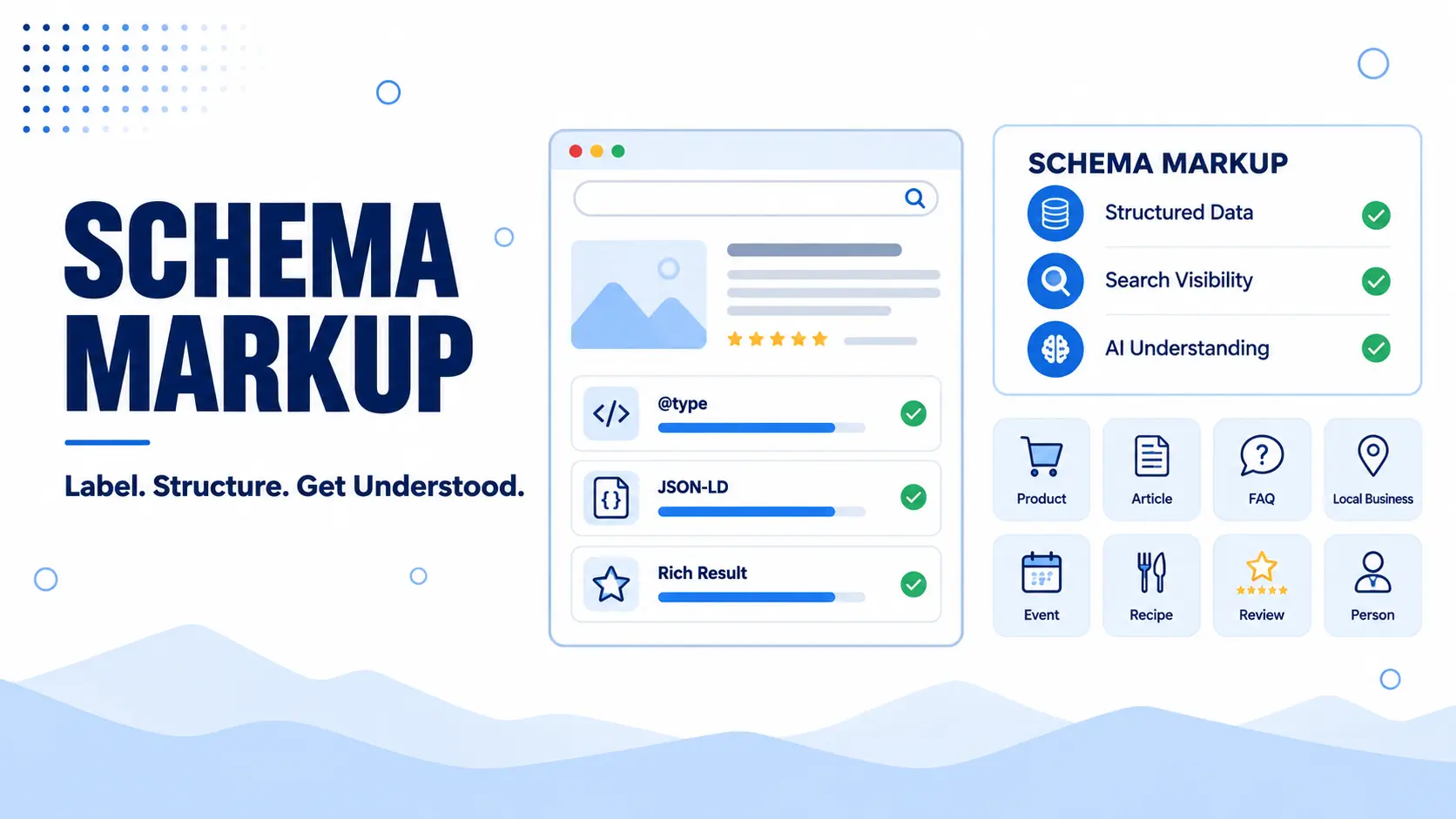
Schema Markup is a standardised code you add to your website that tells search engines exactly what your content means, not just what it says. Think of it as a translator sitting between your webpage and Google. Without it, a search engine can read your text, but it’s basically guessing at context the same way you’d guess at a conversation happening in another room. With schema in place, that guesswork disappears. You’re handing Google a clear label for everything on the page, this is a recipe, this is the cook time, this is the star rating, this is the price.
The code itself lives quietly in the background of your page, usually written in a format called JSON-LD, and your visitors will never see it. But search engines see it immediately, and that’s what allows your listing to show up with extras like star ratings, event dates, or a product price sitting right there in the search results, instead of just a plain blue link with two lines of description underneath.
If you’ve ever searched for a recipe and seen a photo with a rating and cook time right there in Google before you even clicked, that’s schema at work. Same with events showing dates and ticket prices, or job listings displaying salary ranges before you open them. None of that happens by accident, someone added structured data to make it possible, and that someone can be you.
How Schema Markup Works
Every schema block you write follows the same basic sequence. You pick a type from schema.org’s vocabulary, you attach properties that describe that type, and you place the resulting code inside your page. Google’s crawler picks it up during indexing, reads it alongside your visible content, and uses it to build a more complete picture of what that page actually represents.
What makes this process reliable is that schema.org acts as a shared dictionary. Google didn’t invent this vocabulary alone, it was built collaboratively with Microsoft, Yahoo, and Yandex, which means every major search engine interprets a “Product” or a “Review” the same way. That agreement is what makes structured data portable across the web instead of being a one off trick that only works for a single search engine.
Once your markup passes Google’s parsing stage, your page becomes eligible for a rich result. Eligible doesn’t mean guaranteed though, Google still evaluates relevance and quality before deciding whether to actually display those extra visual elements in the search results. Adding the code is the technical requirement, not the final decision.
Types of Schema Markup
Schema.org includes hundreds of types, but you’ll realistically only work with a handful of them again and again depending on what your site actually does. Rather than trying to memorise the whole vocabulary, it helps to get comfortable with the types that show up most often in everyday SEO work, since almost every page you’ll ever mark up falls into one of these categories.
Organization Schema
Organization Schema identifies your business as an entity in its own right, separate from any single page or physical location, helping Google connect your brand name, your logo, and your official profiles into one recognisable identity that eventually feeds a knowledge panel.
The core properties are name, url, and logo, with sameAs deserving particular attention since it’s what links to your social profiles and Wikipedia or Wikidata entries to confirm you’re the same entity across the web, while contactPoint and foundingDate round out the identity further.
This one usually goes on your homepage or about page since it represents the business as a whole rather than any single piece of content, and if your business also has a physical location or service area, LocalBusiness Schema below is a more specific choice.
Example
{
  "@context": "https://schema.org",
  "@type": "Organization",
  "name": "Brightleaf Studio",
  "url": "https://brightleafstudio.com",
  "logo": "https://brightleafstudio.com/logo.png",
  "sameAs": [
    "https://www.linkedin.com/company/brightleafstudio",
    "https://www.instagram.com/brightleafstudio"
  ]
}
LocalBusiness Schema
LocalBusiness Schema is what you use when your business has a physical address or a defined service area, and while it’s technically a more specific type under Organization, it carries its own set of location focused properties that Organization Schema doesn’t include, expecting fields like address, telephone, openingHours, priceRange, and geo for coordinates, where accuracy matters more than people expect since inconsistency here is one of the most common causes of local ranking issues.
For local SEO, this schema feeds directly into how you appear in the local pack and Google Maps, and it works hand in hand with your Google Business Profile to reinforce the same NAP details across platforms, giving Google far more confidence displaying your business prominently for nearby searches once both sources agree.
Example
{
  "@context": "https://schema.org",
  "@type": "LocalBusiness",
  "name": "Brightleaf Coffee House",
  "address": {
    "@type": "PostalAddress",
    "streetAddress": "45 Maple Street",
    "addressLocality": "Austin",
    "addressRegion": "TX",
    "postalCode": "78701",
    "addressCountry": "US"
  },
  "telephone": "+1-512-555-0148",
  "priceRange": "$$"
}
Article, BlogPosting, NewsArticle Schema
These three sit close together in the hierarchy, and picking the right one depends entirely on what kind of content you’re publishing. Article is the general purpose parent type, suitable when the other two don’t quite fit.
BlogPosting is the one most personal brand and company blogs should reach for, since it’s specifically meant for blog style content. NewsArticle is reserved for time sensitive journalism and press style reporting, and using it for a regular blog post can actually work against you since Google holds NewsArticle content to different freshness expectations.
Important properties
headline, author, datePublished, and dateModified are the essentials, with image and publisher rounding things out for eligibility in things like Google Discover and article carousels. author deserves particular attention, since pairing it with a Person type strengthens the byline rather than leaving it as a plain text name.
Example
{
  "@context": "https://schema.org",
  "@type": "BlogPosting",
  "headline": "10 Tips for Better Home Coffee Brewing",
  "author": {
    "@type": "Person",
    "name": "Jordan Reyes"
  },
  "datePublished": "2026-09-09",
  "image": "https://example.com/coffee-brewing.jpg"
}
Product, Offer, Brand, AggregateRating, Review Schema
Product Schema rarely stands alone, and this is actually the clearest example of nested objects at work. Product describes the item itself. Offer nests inside it to define price and availability. Brand nests in as well to tie the product back to its manufacturer or seller. AggregateRating and Review can nest in too, and together these five pieces are what typically unlock a full rich result showing price, stock status, and star rating all at once in search.
Example
{
  "@context": "https://schema.org",
  "@type": "Product",
  "name": "Wireless Mouse",
  "brand": {
    "@type": "Brand",
    "name": "TechBrand"
  },
  "offers": {
    "@type": "Offer",
    "price": "29.99",
    "priceCurrency": "USD",
    "availability": "https://schema.org/InStock"
  },
  "aggregateRating": {
    "@type": "AggregateRating",
    "ratingValue": "4.5",
    "reviewCount": "120"
  }
}
BreadcrumbList Schema
BreadcrumbList Schema mirrors your site’s navigation path directly in the search result, showing something like Home > Blog > Category before a user even clicks. Beyond the visual benefit, it helps Google understand how your pages relate to each other structurally.
Example
{
  "@context": "https://schema.org",
  "@type": "BreadcrumbList",
  "itemListElement": [
    { "@type": "ListItem", "position": 1, "name": "Home", "item": "https://example.com" },
    { "@type": "ListItem", "position": 2, "name": "Blog", "item": "https://example.com/blog" }
  ]
}
Event Schema
Event Schema covers anything with a defined start and end time, concerts, webinars, conferences, or limited time promotions. It typically nests a Place for the venue and an Offer for ticket pricing, and when implemented correctly it can surface directly in search with the date and location already visible.
Example
{
  "@context": "https://schema.org",
  "@type": "Event",
  "name": "Community SEO Workshop",
  "startDate": "2026-10-12T10:00",
  "location": {
    "@type": "Place",
    "name": "Downtown Convention Center"
  }
}
Recipe Schema
Recipe Schema is what unlocks the recipe cards you see with a photo, star rating, and cook time sitting right in the search results. It expects properties like recipeIngredient, recipeInstructions, cookTime, and nutrition, and it’s one of the more property heavy types on schema.org.
Example
{
  "@context": "https://schema.org",
  "@type": "Recipe",
  "name": "Classic Fried Rice",
  "cookTime": "PT20M",
  "recipeIngredient": ["Rice", "Egg", "Soy Sauce"]
}
VideoObject Schema
VideoObject Schema helps Google understand embedded or hosted video content, including thumbnails, duration, and upload date. This is what allows a video to appear directly in search results with a thumbnail and play button, rather than being invisible to a text focused crawler.
Example
{
  "@context": "https://schema.org",
  "@type": "VideoObject",
  "name": "How Schema Markup Works",
  "thumbnailUrl": "https://example.com/video-thumb.jpg",
  "uploadDate": "2026-09-01"
}
Service Schema
Service Schema describes something a business offers that isn’t a physical product, consulting, freelance work, or a specific offering like a marketing service. It typically nests a Provider, usually an Organization or LocalBusiness, and can include areaServed to define where that service is available.
Example
{
  "@context": "https://schema.org",
  "@type": "Service",
  "name": "Digital Marketing Consulting",
  "provider": {
    "@type": "Organization",
    "name": "Brightleaf Studio"
  },
  "areaServed": "Global"
}
Person Schema
Person Schema identifies an individual, and it’s most often used nested inside other types rather than standing on its own, connecting an author to an Article, a reviewer to a Review, or a founder to an Organization. jobTitle, worksFor, and sameAs are the properties that add the most context here.
Example
{
  "@context": "https://schema.org",
  "@type": "Person",
  "name": "Jordan Reyes",
  "jobTitle": "Content Strategist",
  "worksFor": {
    "@type": "Organization",
    "name": "Brightleaf Studio"
  }
}
Anatomy of Schema Markup
Every schema block is built from the same handful of pieces working together, and once you can recognise each one on sight, reading or writing any schema becomes far less intimidating. Let’s break down exactly what each part does.
@context
@context is the line that tells search engines which vocabulary you’re speaking, and it’s almost always set to https://schema.org. Without this single line, everything else in your markup is technically meaningless, since Google has no way of knowing that “Product” or “author” refers to schema.org’s definitions rather than something you made up on the spot. It’s a small line, but it’s the one that makes the entire block machine readable in the first place.
@type
@type is the label that defines what the thing actually is, Product, Article, LocalBusiness, and so on. This is where the type hierarchy we covered earlier actually gets applied, and picking the wrong type is one of the most common beginner mistakes, since Google will parse the markup without complaint even when the type genuinely doesn’t match the content on the page.
Properties
Properties are the actual details attached to whatever type you chose. A Product might carry name, price, and description, while an Article carries headline, author, and datePublished, and which properties are available always depends on the type sitting above them. Some properties are required for a rich result to even be considered, while others are optional but strengthen the context Google receives.
Nested Objects
This is where schema starts feeling less like a flat form and more like a structure. A Product can nest an Offer inside it, that Offer can reference a Brand, and a Review can nest a Person as its author, all within the same block of code. Nesting is what lets a single schema object describe a genuinely complex relationship, a product that has a price, a seller, a rating, and a reviewer, without needing five separate disconnected pieces of markup scattered across the page.
{
  "@context": "https://schema.org",
  "@type": "Product",
  "name": "Wireless Mouse",
  "offers": {
    "@type": "Offer",
    "price": "29.99",
    "priceCurrency": "USD"
  }
}
@id
@id gives a specific entity a unique identifier so it can be referenced elsewhere instead of being redefined every single time. This one tends to fly under the radar for beginners, but it becomes genuinely useful once you’re managing multiple schema blocks across a site, letting you point back to the same Organization or Person without repeating their full details in every block. Think of it as giving that entity a permanent address other schema can link to.
sameAs
sameAs connects your entity to its presence elsewhere on the web, your Wikipedia page, your LinkedIn profile, your Wikidata entry. This property does more work for entity recognition than people usually give it credit for, since it’s essentially you confirming to Google, this profile, this listing, and this website all belong to the same person or brand. The stronger and more consistent that trail of sameAs links is, the more confidently Google can tie everything back to a single, trusted entity.
{
  "@context": "https://schema.org",
  "@type": "Person",
  "name": "Jordan Reyes",
  "sameAs": [
    "https://www.linkedin.com/in/jordanreyes",
    "https://en.wikipedia.org/wiki/Jordan_Reyes"
  ]
}
Schema Markup Examples
Looking at schema types in isolation is useful for learning, but a real page almost never uses just one type on its own. A typical blog post, for example, usually needs BlogPosting for the article itself, Person for the author, Organization for the publisher, and BreadcrumbList for navigation, all working together inside a single script block. Seeing them combined like this is closer to what you’ll actually paste into a live page, so let’s walk through one complete example.
{
  "@context": "https://schema.org",
  "@type": "BlogPosting",
  "headline": "10 Tips for Better Home Coffee Brewing",
  "datePublished": "2026-09-09",
  "dateModified": "2026-09-09",
  "image": "https://example.com/coffee-brewing.jpg",
  "author": {
    "@type": "Person",
    "name": "Jordan Reyes",
    "sameAs": [
      "https://www.linkedin.com/in/jordanreyes"
    ]
  },
  "publisher": {
    "@type": "Organization",
    "name": "Brightleaf Studio",
    "logo": {
      "@type": "ImageObject",
      "url": "https://brightleafstudio.com/logo.png"
    }
  }
}
Alongside that, the same page would typically carry a separate BreadcrumbList block to reflect its position in the site structure.
{
  "@context": "https://schema.org",
  "@type": "BreadcrumbList",
  "itemListElement": [
    { "@type": "ListItem", "position": 1, "name": "Home", "item": "https://example.com" },
    { "@type": "ListItem", "position": 2, "name": "Blog", "item": "https://example.com/blog" },
    { "@type": "ListItem", "position": 3, "name": "Coffee Brewing Tips", "item": "https://example.com/blog/coffee-brewing-tips" }
  ]
}
Notice how author and publisher aren’t just plain text here, they’re fully nested objects with their own @type, which is exactly what turns a flat label into something Google can actually verify and connect back to a real entity. This is the practical version of everything covered under Anatomy, applied to a page that could realistically exist right now.
How to Implement Schema Markup
Knowing what schema looks like is only half the job, the other half is actually getting it onto your page in a way that works. There are a few different routes here, and the right one really depends on your comfort level with code and the platform your site runs on.
Manual Implementation with JSON-LD
This is the most direct route, and it gives you complete control over exactly what gets marked up. You write a small block of JSON-LD code that describes your content, then place it inside the head section of your HTML, or right before the closing body tag if your platform doesn’t give you easy access to the head. The structure follows a simple key and value pattern, where each key represents a property like name or datePublished, and each value fills in the actual detail for that page.
The upside of going manual is precision, you control every single field without relying on a plugin’s assumptions about your content. The downside is that it requires some comfort with code, and any small syntax error, like a missing comma or bracket, can prevent the entire markup from working at all, so it’s worth double checking your syntax before publishing.
Using WordPress Plugins
For most WordPress sites, this is genuinely the easiest and most reliable path. Plugins like Rank Math and Yoast SEO come with built in schema generators that walk you through filling out fields through a simple visual interface, then automatically convert your input into valid JSON-LD behind the scenes. Rank Math in particular offers a fairly generous free tier of schema types, covering Article, Product, FAQ, and How To schemas without needing a premium upgrade.
The real advantage here is consistency, since the plugin handles the technical formatting for you, which significantly reduces the chance of a small coding mistake breaking your markup. If you’re managing multiple pages or an entire content cluster, this approach also scales far better than writing manual code for every single page.
Using Google Tag Manager
This method sits somewhere between fully manual and fully plugin based, and it’s particularly useful if you want to add schema without directly editing your website’s code or template files. Through Tag Manager, you create a custom HTML tag containing your JSON-LD script, then set a trigger to fire it on the specific pages where it should appear.
This approach is especially handy for people managing multiple websites through one Tag Manager account, or for cases where a developer isn’t easily available to make direct code changes. The tradeoff is that debugging can feel slightly more layered, since you’re troubleshooting through Tag Manager’s interface rather than looking directly at your page’s source code.
Which Route Should You Choose
If you’re comfortable with code and want full control, manual JSON-LD is worth learning properly. If you’re running WordPress and want something that just works without much fuss, a plugin is almost always the better call. And if you’re managing multiple sites or don’t have direct access to a codebase, Google Tag Manager fills that gap nicely. Whichever route you pick, the end goal stays the same, valid JSON-LD sitting on your page in a way Google can read without any confusion.
How to Test and Validate Schema Markup
Adding schema to your page is only half the job, you still need to confirm Google can actually read it the way you intended. Skipping this step is one of the most common reasons rich results never show up, even when the markup looks correct at first glance.
The fastest way to check is Google’s Rich Results Test, where you paste in your page URL or the raw code itself, and it tells you exactly which schema types it detected along with any errors blocking eligibility.
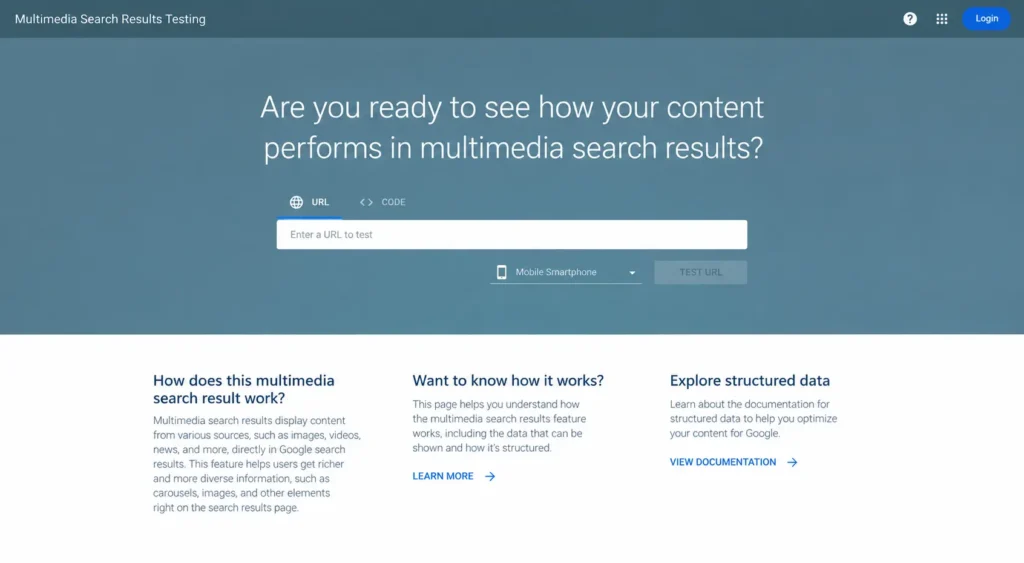
For validating against the full schema.org vocabulary rather than just what Google currently supports as a rich result, the Schema Markup Validator run by Schema.org is the better tool. And for catching problems at scale across your whole site rather than testing one page at a time, Google Search Console’s Enhancements section groups pages by schema type and flags errors it found during indexing.
I walked through all three of these tools in more detail, including what each error actually means and how to fix it, in my structured data guide, if you want the fuller breakdown before moving on.
Common Schema Markup Mistakes to Avoid
Even experienced site owners trip over the same handful of schema mistakes, and most of them aren’t obvious until Search Console flags them weeks later. Catching these early is a small but meaningful part of good technical SEO hygiene, since a broken schema block can quietly sit on a page for months without anyone noticing.
- Using the Wrong @type
Picking a type that doesn’t genuinely match your content is one of the most common errors, and it happens more from convenience than carelessness. Marking a service page as a Product, or a general blog post as a NewsArticle, technically validates without error, but it misrepresents what the page actually is, which can cost you eligibility for the rich result you were actually hoping for. - Marking Up Content That Isn’t Visible
Google expects the information in your schema to match what a visitor can actually see on the page. Adding a five star rating in your markup that doesn’t correspond to any visible reviews on the page is exactly the kind of mismatch that can trigger a manual action, stripping your eligibility for rich results even though your regular ranking stays untouched. - Broken JSON Syntax
A missing comma, an unclosed bracket, or a stray quotation mark is enough to invalidate an entire schema block. This is one of the most frustrating mistakes precisely because the markup often looks fine at a glance, and it only surfaces once you actually run it through a validator. It’s a good reminder of why testing isn’t optional, it’s a core part of the technical SEO checklist for any page carrying structured data. - Forgetting to Update Schema After Content Changes
Schema tends to get set once and forgotten, but content rarely stays static. A price that changes on the page but not in the Offer object, or a datePublished that never gets a matching dateModified, quietly creates inconsistencies that erode trust in your markup over time. - Stacking Every Schema Type You Can Find
Adding every schema type available, hoping something sticks, usually backfires. Google is fairly strict about relevance, and forcing a type that doesn’t genuinely fit your content can hurt your eligibility for rich results rather than help it. The right schema is the one that honestly reflects what the page already is, not the one that looks the most impressive on paper.
Does Schema Markup Improve Google Rankings?
This is probably the question most people actually want answered before investing time into schema. The honest answer is no, Google has stated directly that Schema Markup is not a direct ranking factor, so adding it to a page won’t push that page higher in search results the way stronger content or better backlinks would. If you’re hoping schema alone will move the needle overnight, that expectation needs resetting early.
That said, the story doesn’t end there. Schema influences several things that indirectly affect performance, a richer looking result naturally earns more clicks than a plain listing sitting next to it, and a higher click through rate signals relevance to Google over time. Schema also helps your content get understood more accurately, which tends to match it with the right queries more consistently. In practice, schema acts as an amplifier for content that’s already solid, not a replacement for solid content, it won’t rescue a weak page, but it can meaningfully strengthen one that already deserves to rank.
Why Schema Markup Matters for SEO
By this point you’ve seen what schema looks like and how to build it, but it’s worth stepping back to why it’s worth the effort in the first place. Schema Markup matters because it directly shapes how your content shows up in front of the people searching for it, and that influence stretches across several parts of your search visibility at once.
- It Unlocks Rich Results
Schema is what makes your listing eligible for the extras you see other results carrying, star ratings, prices, FAQ dropdowns, event dates. Without it, Google has no reliable way to know that a five sits next to your business name because it’s a rating, or that a number in your content represents a price rather than just a random figure, and without that context, none of those visual extras can appear. - It Improves Click Through Rates
A listing with a star rating or a price tag naturally pulls more attention than a plain blue link sitting next to it. When your result looks more informative before someone even clicks, they’re simply more likely to choose it over a competitor’s plain text listing, and that difference compounds across every search your content ranks for. - It Speeds Up How Google Understands Your Content
Instead of leaving Google to infer meaning from plain text alone, schema hands over that meaning directly. This is one of the quieter benefits of good technical SEO work, content that’s clearly labeled tends to get indexed and matched to the right queries faster than content Google has to interpret from scratch. - It Supports Voice Search and Featured Snippets
Voice assistants and featured snippets both pull answers from content that’s clearly structured. Having schema in place, particularly on how-to and FAQ style content, increases your odds of being the source they choose to read from, since there’s less ambiguity for the assistant to work through. - It Prepares Your Content for AI-Driven Search
As AI Overviews and other AI search tools become a bigger part of how people find information, they lean heavily on clearly labeled data to summarise and cite sources accurately. Schema doesn’t guarantee an AI citation, but it removes friction that could otherwise get in the way, a point we’ll dig into further in the next section.
None of these benefits act as a direct ranking boost on their own, but together they create the conditions that make ranking well, and being chosen once you rank, considerably more achievable.
Does Schema Markup Help AI Search?
As AI Overviews, AI Mode, and chatbots become a bigger part of how people search, everyone naturally wants to know where schema fits into that shift. The common assumption is that clearly labeled content automatically earns more citations from AI systems, but the real picture is more nuanced than that.
A large scale study tracking nearly 1,900 pages that added JSON-LD found no meaningful citation increase across AI Overviews, AI Mode, or ChatGPT once compared against pages that never added schema. The catch is that every page in that dataset was already receiving heavy AI citations before the schema was added, so the study can’t confirm whether schema helps a page get discovered by AI systems in the first place. This suggests schema’s real value in AI search may sit in verification rather than discovery, helping AI confirm what a page is, who wrote it, and when it was published, once it’s already being considered as a source.
I break down the full study and what it means for AI visibility in my structured data guide, if you want to go deeper on this before we move on.

Get Your Schema Markup Right with Tsabit Insight
Schema Markup isn’t something you set up once and walk away from, it’s a living part of your technical SEO that needs revisiting as your content grows and as Google and AI systems change how they read the web. If you’ve made it this far through this guide, you already know there are a lot of moving pieces to get right, from picking the correct type to structuring nested objects and keeping everything error free over time. The good news is, you don’t have to handle all of it alone.
At Tsabit Insight, I provide freelance SEO Expert services built around exactly this kind of technical work, identifying which schema types genuinely fit your content, implementing clean JSON-LD, and making sure everything stays valid as your site grows. Every project starts with understanding your content and your goals, the same way this guide does, before a single line of markup gets written.
Whether you’re adding Schema Markup for the first time or trying to fix implementation that’s been throwing errors in Search Console, the approach stays grounded in what actually helps your pages get understood correctly, not just what looks technically impressive.
If you’re looking for a reliable freelance SEO specialist to help your website speak Google’s language fluently, contact me to discuss your project and see how Tsabit Insight can help your content get read, understood, and shown the way it deserves.
FAQ