NAP Consistency Is the Local SEO Fix Most Businesses Get Wrong
NAP Consistency is one of those things you don’t think about until it quietly costs you customers. It sounds like a small technical detail, but it’s actually one of the quietest, most foundational trust signals search engines use to decide whether your business deserves to show up when someone nearby is searching.
Here’s the part most business owners miss. When your business details vary even slightly across the web, like “St.” on one listing and “Street” on another, it creates confusion, and confused search engines don’t rank confused businesses.
If you’ve been working on your Local SEO, you already know how much weight Google puts on trust signals like this. It won’t show up as a dramatic ranking jump overnight, but it’s the kind of thing that either supports everything else you’re doing or quietly undermines it.
What Is NAP Consistency in SEO?
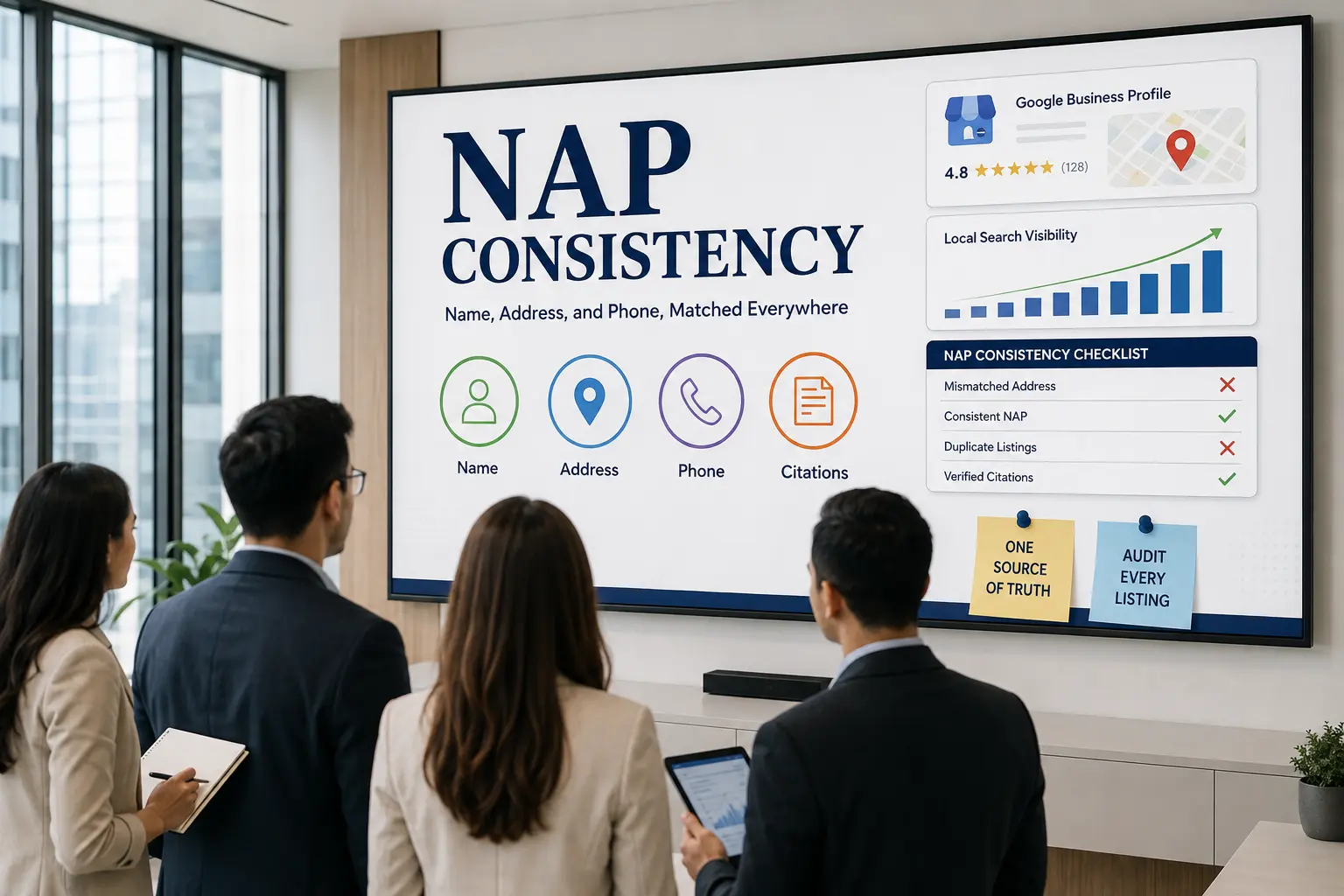
NAP Consistency means your business Name, Address, and Phone number appear exactly the same across every platform where they’re listed, from your Google Business Profile to your website to every directory you’re on.
NAP stands for Name, Address, and Phone number, the three core details that identify your business online. Consistency means these details match precisely everywhere they appear, whether that’s your Google Business Profile, your website footer, or a directory listing you set up years ago and forgot about.
This matters more than it seems. Search engines cross-check your NAP details across the web to verify your business is legitimate and located where you claim to be. If your address reads “123 Main St.” in one place and “123 Main Street, Suite 4” in another, that’s technically the same business to a human, but it can read as two different entities to a search engine, or worse, as an unreliable one.
The goal isn’t perfection down to the punctuation mark everywhere. It’s making sure the core information stays recognizable and accurate, so both people and search engines can trust that they’ve found the right business.
Why Is NAP Consistency Important for Local SEO?
Local SEO runs on trust, and NAP consistency is one of the clearest signals you can send. When your business details match everywhere, search engines treat your listing as reliable, which directly affects whether you show up in local search results and the map pack when someone nearby is looking for what you offer.
There’s also the human side of this. Picture someone searching for your business, finding your Google Business Profile, then clicking through to your website only to see a different phone number or a slightly different address. That gap creates doubt, even if it’s an honest mistake on your end. Some people will call the wrong number, others will just move on to a competitor whose details actually line up.
Reviews play into this too. A strong flow of Google reviews tied to a consistent, verified listing reinforces that trust even further. Search engines see a business with matching details and positive reviews as one worth recommending, while a business with scattered, inconsistent listings looks harder to verify, no matter how good the reviews are.
At the end of the day, NAP consistency isn’t a ranking factor you can point to on a chart, but it’s the foundation everything else in Local SEO sits on. Get it wrong, and you’re working against yourself before you’ve even started.
What Does NAP Consistency Look Like (and Where It Needs to Match)?
It’s easier to spot NAP consistency once you see it side by side. Here’s what a mismatch actually looks like in practice.
None of these differences look like a big deal on their own. But multiply that across ten or twenty listings, and search engines start seeing what looks like several different businesses instead of one consistent entity, which quietly chips away at your Local SEO.
So where do these details actually need to match? A few places matter more than others.
- Your Google Business Profile
This is usually the first thing people see and the listing search engines lean on most, so it should always reflect your most current name, address, and phone number. - Your website
Your homepage, contact page, and footer should all show the exact same NAP details as your Google Business Profile, ideally paired with structured data (schema markup) so search engines can read it programmatically too. - Directory listings and citations
Sites like Yelp, Bing Places, Apple Maps, and industry-specific directories all count as citations, and each one is a small vote of trust, as long as the details match. - Social media profiles
Facebook, Instagram, and LinkedIn business pages often get set up once and never touched again, which makes them a common source of outdated NAP info. - Review platforms
Wherever Google reviews or third-party reviews live, the business info attached to that profile should match too, since search engines connect reviews back to the listing they belong to.
Also Read: Local Citations: The Complete Guide to Building Trust and Visibility for Your Business
Common NAP Inconsistencies That Hurt Local SEO
Most NAP inconsistencies aren’t dramatic mistakes. They’re small, easy-to-miss details that pile up over time, especially if you’ve been in business for a while or moved locations even once, and they tend to sneak in from the most ordinary places, an old form filled out years ago, a rebrand that didn’t quite reach every listing, or simply different people managing different platforms without checking what’s already out there. Here’s where things tend to go wrong.
- Abbreviation mismatches
“Street” versus “St.”, “Suite” versus “Ste.” or “#”, “Avenue” versus “Ave.” These feel harmless, but if your Google Business Profile uses one format and your website uses another, that inconsistency adds up across every citation copying from either source. - Outdated addresses after a move
This is one of the most damaging inconsistencies. If you’ve relocated but a handful of directories still show your old address, search engines get mixed signals about where you’re actually located, and customers might show up at the wrong place entirely. - Multiple phone numbers floating around
A lot of businesses end up with several phone numbers in circulation, an old landline, a new mobile number, maybe a call-tracking number used for ads. If these aren’t unified, search engines can’t confidently tie reviews, calls, and listings back to one business. - Business name variations
Adding or dropping “LLC,” switching between “&” and “and,” or rebranding without updating every listing all create name mismatches that make your business harder to verify as a single entity. - Duplicate listings
Sometimes a new Google Business Profile gets created instead of claiming the existing one, leaving two versions of your business competing against each other, often with different NAP details on each. - Suite or unit number errors
Small buildings with multiple tenants are especially prone to this. A missing or incorrect suite number might seem minor, but it can be the exact detail that causes a mismatch between your website and your listings.
None of these individually will tank your rankings overnight. But together, they create the kind of noise that makes it harder for search engines, and for actual customers, to trust that they’ve found the right business.
Also Read: Google Maps SEO Guide to Rank Higher and Get Found by Local Customers
How to Fix NAP Inconsistencies
Fixing NAP inconsistencies isn’t complicated, but it does take patience since you’re essentially tracking down every place your business details live and making sure they all say the same thing. Here’s how to approach it without losing your mind halfway through.
Start with your Google Business Profile as the source of truth
Before touching anything else, decide exactly how your name, address, and phone number should be formatted, down to whether you write “Street” or “St.”, whether you include a suite number, and which phone number you actually want customers calling.
Once you’ve locked that in, update your Google Business Profile to match it exactly. This becomes the reference point for everything else you fix, since it’s usually the listing both customers and search engines trust most, and any inconsistency you carry forward from here will just repeat itself across every other platform you touch next.
Audit your website next
Go through your homepage, contact page, and footer line by line to confirm they match your Google Business Profile exactly, right down to the abbreviations and punctuation. It’s easy to assume your website is fine because you built it yourself, but footers in particular are often set once during the initial build and never revisited, even after a phone number changes or you move offices.
If you’re using schema markup for local business data, update that too, since search engines rely on structured data even more than the visible text on the page, and a mismatch there can undercut everything else you’ve cleaned up.
Search for your business name and old addresses
Run a search using your business name, plus any previous address or phone number if you’ve moved, rebranded, or changed numbers at any point. This step usually surfaces directories, review sites, and citations you genuinely forgot existed, sometimes ones set up years ago by a former employee, an old marketing agency, or an automated listing service you signed up for once and never checked again.
Don’t skip this step even if you think your listings are already clean, because outdated citations tend to hide in places you wouldn’t think to look, like niche regional directories or old chamber of commerce sites.
Claim and update each listing one by one
For every directory or platform that shows outdated info, claim the listing first if you haven’t already, since unclaimed listings often can’t be edited directly and require a verification process before changes take effect.
Once claimed, update the name, address, and phone number to match your source of truth exactly. This includes the obvious platforms like Yelp, Bing Places, and Apple Maps, but don’t overlook smaller industry-specific directories, local business associations, or niche listing sites, since these often carry more local relevance than people expect, even with lower traffic.
Consolidate duplicate listings
If you find more than one Google Business Profile, or more than one listing on any other platform, for the same physical location, request a merge or removal through that platform’s support process rather than just abandoning one.
Leaving duplicates active, even inactive-looking ones, splits trust signals and reviews between two versions of the same business, which confuses search engines about which listing is authoritative. This is especially common after a rebrand, a change of ownership, or a move to a new address where the old listing was never properly closed out.
Keep an eye on Google reviews during the process
As you clean things up, keep monitoring your Google reviews throughout, not just at the end. An uptick in reviews on a freshly consolidated, consistent listing sends a noticeably stronger trust signal than the same number of reviews scattered across duplicate profiles, because search engines can now attribute all of that social proof to one clearly verified business. It’s also worth encouraging a few new reviews once your listing is cleaned up, since fresh activity on a corrected profile helps reinforce the update faster than a static listing would.
It’s tedious work, but it’s the kind of thing you only really need to do thoroughly once, then maintain from there.
NAP Consistency Tools You Can Use to Audit Your Listings
Once you’ve done a manual pass, tools can help you catch what you missed and keep things consistent going forward without having to search every directory by hand every few months.
- Moz Local
This tool scans your existing citations across major directories and flags mismatches in your name, address, or phone number, then lets you push corrections out to several platforms from one dashboard instead of updating each one manually. - BrightLocal
Built specifically for local SEO, BrightLocal offers a citation tracker that shows exactly where your NAP details are inconsistent, plus reporting that’s useful if you’re managing this for multiple locations or clients rather than just one business. - Google Business Profile itself
Beyond just editing your listing, the Business Profile dashboard shows you insights into how your listing is performing, which is worth checking periodically alongside your NAP audit, since a drop in visibility can sometimes point to a consistency issue you haven’t caught yet. - Whitespark
Another citation-focused tool that’s particularly useful for finding local directories specific to your industry or region, which broader tools sometimes miss, especially if you’re outside a major metro area. - Manual checks (still worth doing)
Even with tools in place, it’s worth manually checking Bing Places, Apple Maps, and Facebook every so often, since these platforms aren’t always fully covered by third-party citation tools, and a quick manual pass can catch what automation misses.
You don’t need every tool on this list. Picking one citation tracker and pairing it with occasional manual checks on the platforms it doesn’t cover is usually enough to stay on top of things.
How Often Should You Check NAP Consistency?
There’s no strict rule that says you need to check your NAP details every single week, but leaving it entirely unchecked for years is exactly how small inconsistencies quietly pile up in the first place. A quarterly check tends to be the sweet spot for most small to medium businesses, frequent enough to catch new inconsistencies before they spread across multiple directories, but not so often that it becomes a chore you keep putting off.
That said, some situations call for an immediate check rather than waiting for your next scheduled review. If you’ve just moved locations, changed your phone number, or gone through any kind of rebrand, that’s the moment to audit everything straight away, since every day those changes sit unreflected across your listings is another day search engines are working with outdated information. The same goes for right after you launch a new marketing campaign that involves setting up fresh directory listings or partnerships, since new listings are exactly where formatting mistakes tend to creep in.
It also helps to tie your NAP check to something you’re already doing regularly, like when you’re reviewing your Google Business Profile insights or responding to new Google reviews. Since you’re already logged in and looking at that listing, it takes almost no extra effort to glance at your name, address, and phone number while you’re there and confirm nothing’s drifted out of sync.
For businesses with multiple locations, checking more frequently makes sense simply because there’s more surface area for something to go wrong, more listings, more directories, more chances for one location’s details to get mixed up with another’s. In that case, a monthly spot check on a rotating basis across locations tends to work better than trying to audit everything all at once.
The honest answer is that NAP consistency isn’t a one-time fix. It’s closer to routine maintenance, small and manageable if you stay on top of it, but genuinely time-consuming if you let it slide for a year or two and have to untangle it all at once.
NAP Consistency Checklist
By now you’ve got a good picture of what NAP consistency actually involves, but reading through it once doesn’t mean it’s done. Use the checklist below to work through it step by step, tick things off as you go, and come back to it whenever you need a refresher.
Optimise Your Google Business Profile with Tsabit Insight
Your Google Business Profile isn’t a set-and-forget project. It’s a living part of your Local SEO strategy, one that needs regular attention as your business grows, your reviews accumulate, and Google’s ranking factors continue to shift. If you’ve made it this far through the guide, you already know there are a lot of moving pieces to manage well, from categories and attributes to reviews, posts, and performance tracking.
The good news is, you don’t have to manage all of it alone. At Tsabit Insight, I provide freelance SEO services built around exactly this kind of process, auditing your profile, fixing what’s holding back your visibility, and building a system that keeps your local presence strong over time rather than just fixing it once and moving on.
Every project starts with understanding your goals and your local market, the same way this guide does, before any tool or dashboard gets involved. Whether you’re setting up a profile for the first time or trying to recover rankings that have stalled, the approach stays grounded in what genuinely drives results, not just what looks complete on paper.
If you’re after a reliable freelance SEO specialist to guide your Google Business Profile strategy in the right direction, get in touch to discuss your project and discover how Tsabit Insight can help your business grow through stronger local search visibility.

FAQ