Title Tag Optimization: How to Write Titles That Rank and Get Clicked Your Attractive Heading
Title tag mistakes are, more often than not, why one of your pages ranks on page one but still gets ignored. I’ve seen it happen on my own sites and on client projects — a page doing everything right on-page, sitting in a great position, and still getting skipped over in the search results.
Here’s the thing, your title tag is invisible on the page itself, but it’s usually the very first thing someone reads about you before they’ve read a single word you’ve actually written. Nail it, and you turn existing rankings into real traffic. Get it wrong, and you’re leaving clicks on the table for no reason. This is one of those small fixes I keep coming back to, because the return on effort is almost unfair.
What Is a Title Tag?
A title tag (also called a meta title) is the line of HTML code that tells search engines and browsers what to display as the clickable headline for a page in search results. It’s not something a visitor sees on the page itself — it lives in the <head> of your HTML, tucked inside a <title> tag — but it’s the first impression your page makes, showing up as the big blue link in Google, the tab title in a browser, and the headline when someone shares your page on social media.
Where Users See the Title Tag
Even though it’s invisible on the page, your title tag shows up in more places than most people realize:
Search engine results pages (SERPs)
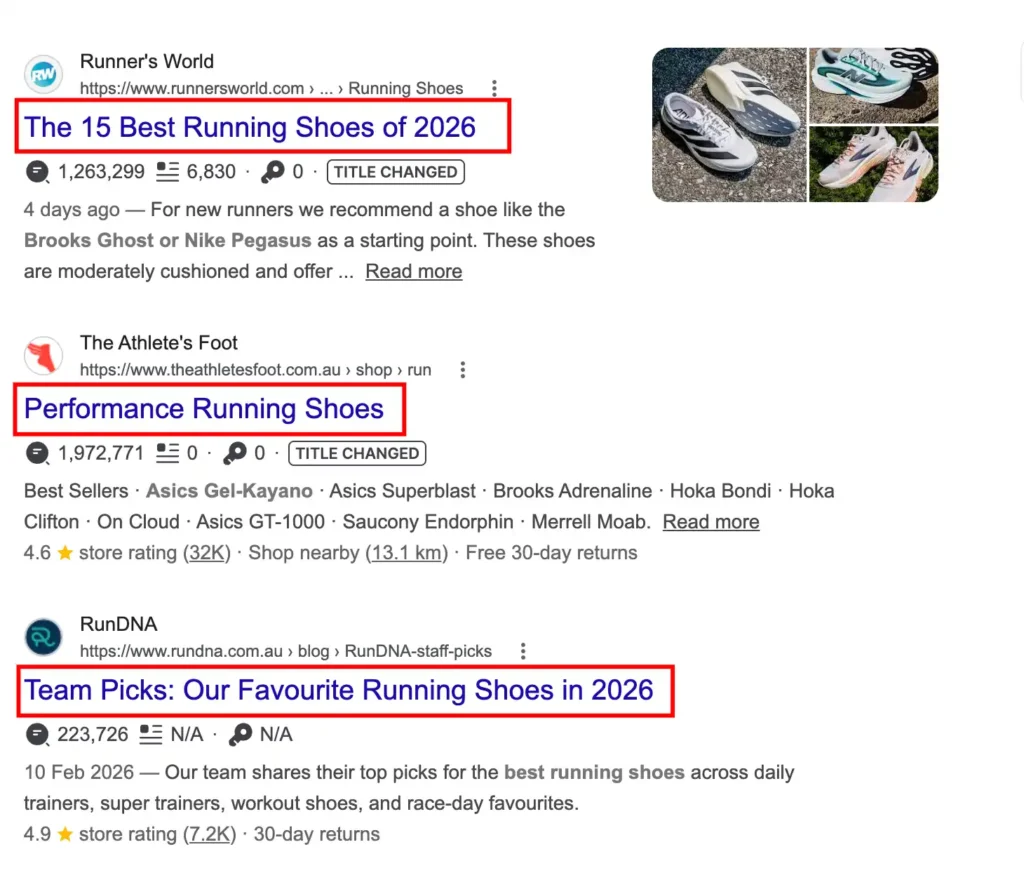
As the clickable blue headline above your URL and meta description.
Browser tabs
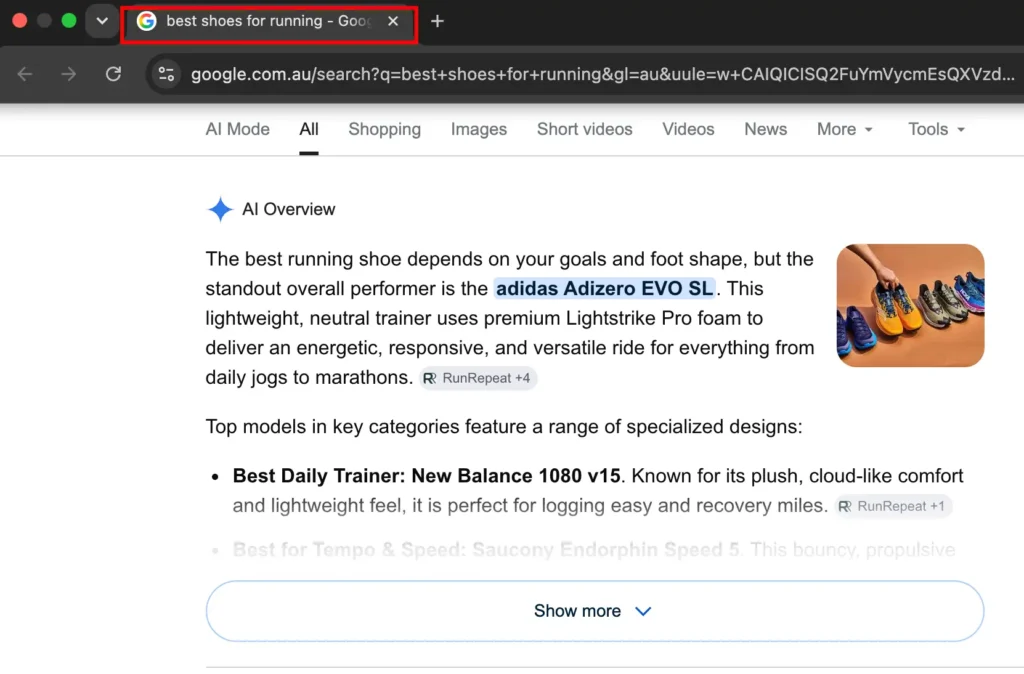
The text you see when you have multiple tabs open.
Bookmarks and browser history
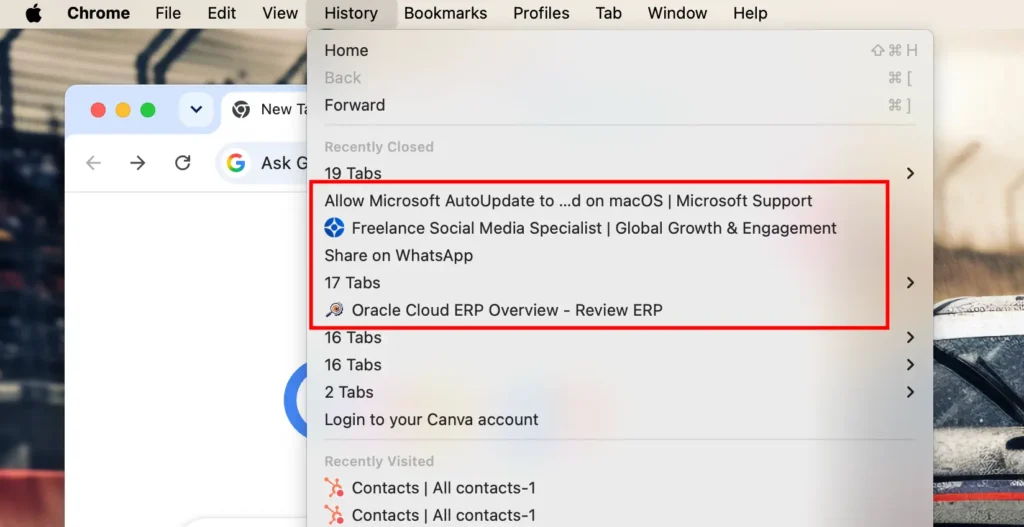
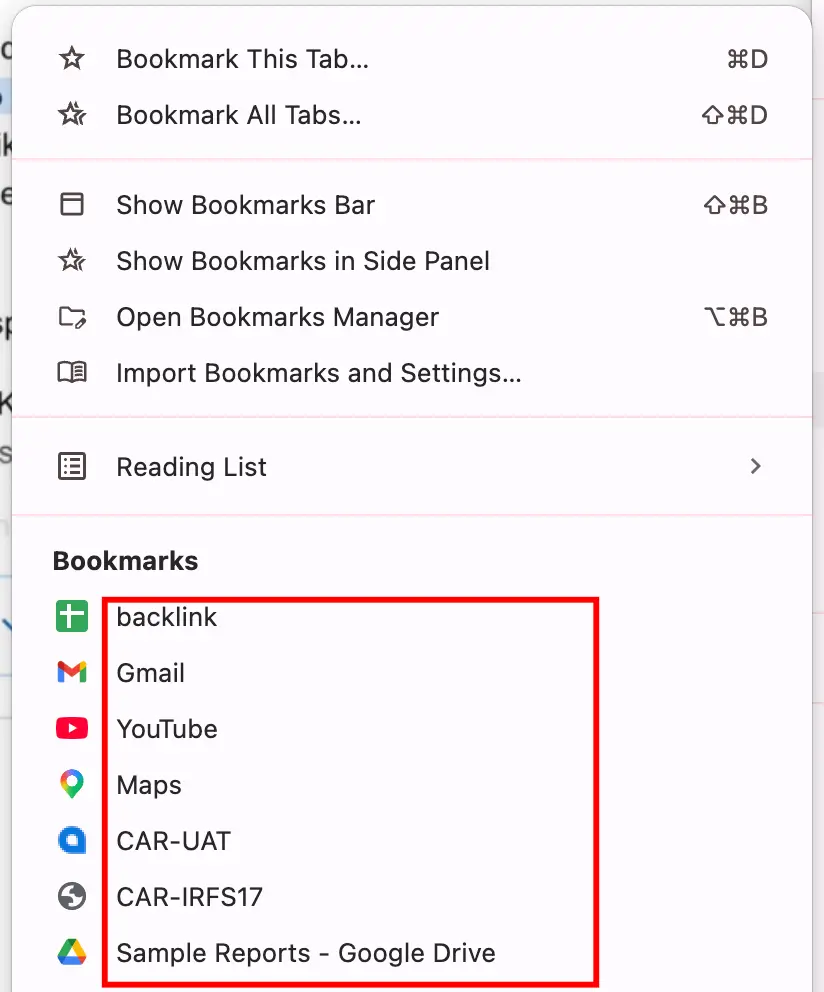
The label saved when someone bookmarks your page.
Social shares
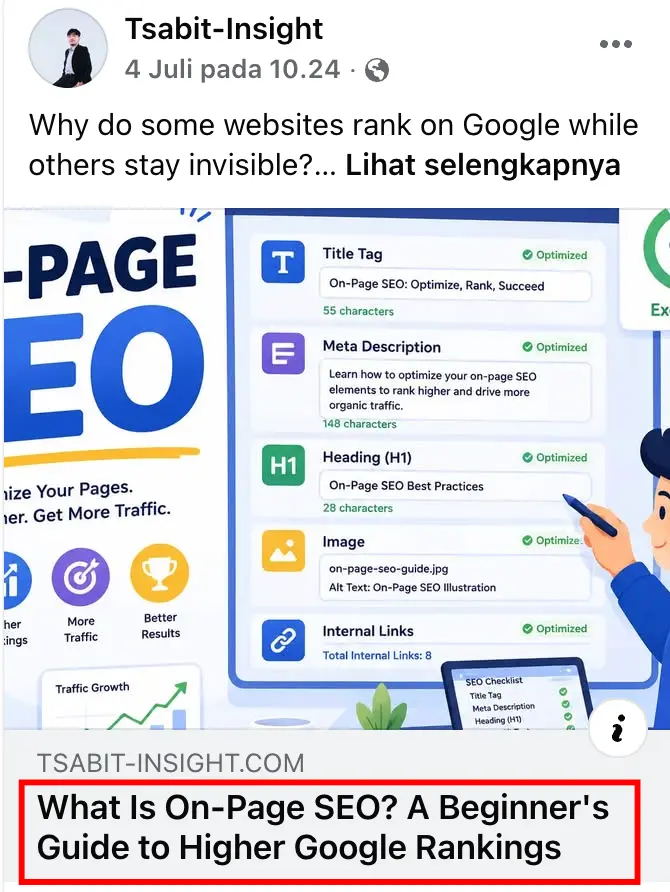
Often pulled in as the headline when a link is shared on platforms like LinkedIn or Facebook (though Open Graph tags can override this)
As you can see above, the same title tag shows up in four completely different contexts — which is exactly why it needs to work hard in a small amount of space.
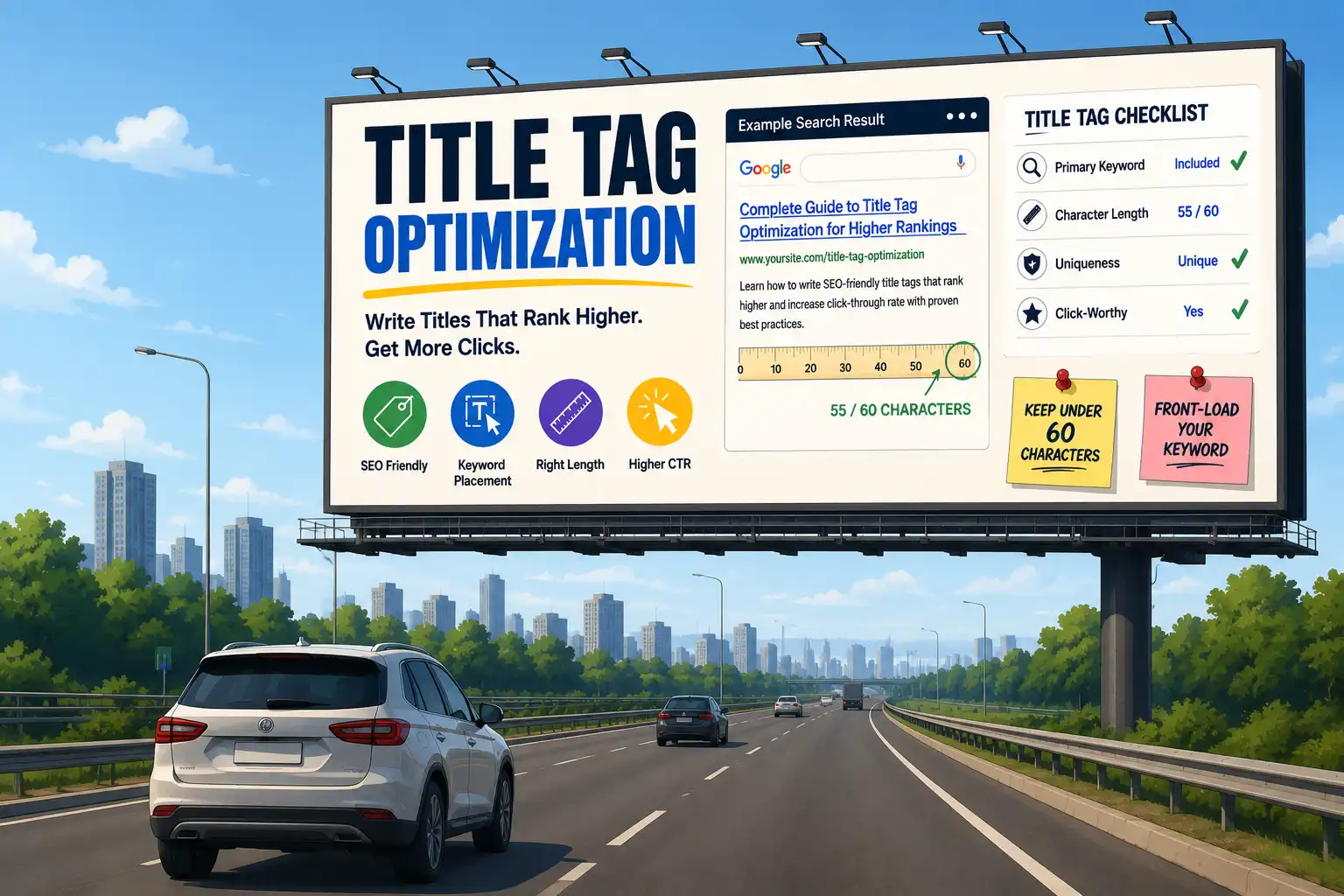
What Is the Ideal Title Tag Length?
There’s no single magic number here, and anyone who gives you an exact character count without context is oversimplifying. What matters is whether your title tag gets cut off in the search results — and that depends less on character count and more on pixel width, which is where most guides get it wrong.
Pixel Width vs. Character Count
Google doesn’t truncate title tags based on how many characters you’ve typed — it truncates based on how much horizontal space those characters take up on screen, measured in pixels. This is why two titles with the exact same character count can display completely differently: a title full of wide letters like “W,” “M,” and capital letters eats up pixel space fast, while a title full of narrow letters like “i,” “l,” and lowercase text can fit more characters in the same space.
As a practical guideline:
- Google typically displays around 580–600 pixels of title text on desktop before truncating with an ellipsis (…)
- This roughly translates to 50–60 characters, but treat that as a rough estimate, not a rule
- Mobile results often allow slightly more room, though this shifts over time as Google updates its SERP design
The safest approach, put your most important keywords and value proposition in the first 50–60 characters, and treat anything after that as a bonus rather than something you can rely on being seen.
Why Is the Title Tag Important for SEO?
The title tag sits at the intersection of two things every SEO strategy depends on: getting found, and getting clicked. Most on-page SEO elements only influence one side of that equation — but the title tag genuinely does both, which is why it’s still one of the highest-leverage ranking factors more than two decades after it was first introduced.
Here’s how it earns that weight:
- It’s a direct relevance signal to search engines
As one of the core elements of on-page SEO, Google uses your title tag as one of the strongest signals to understand what a page is actually about — it’s often the first thing crawled and indexed alongside your content. - It directly affects click-through rate (CTR)
Even a page ranking in position 1 can underperform if the title doesn’t convince someone to click, while a well-written title in position 4 or 5 can outperform higher-ranked pages simply by earning more clicks — and CTR itself is a signal Google factors into how pages perform over time. - It shapes first impressions before content does
Since it’s the first thing a person reads about your page, it sets expectations — match those expectations poorly, and you’ll see it show up as high bounce rates even if your rankings look healthy on paper. - It’s one of the few elements you fully control
Unlike backlinks or domain authority, which build up slowly and depend on external factors, your title tag is a piece of on-page SEO you can test, rewrite, and improve immediately — making it one of the fastest levers available in any SEO strategy.
In short, rankings get you in front of people, but the title tag is what convinces them to actually click through.
How Search Engines Use Title Tags?
Understanding what happens on Google’s end helps explain why some of your title tag decisions matter more than others. It’s not just displayed as-is — search engines actively process, interpret, and sometimes even override what you write, starting from the moment a page is crawled all the way through how it finally appears in the SERP.
- Crawling and indexing
When Googlebot crawls a page, the title tag is one of the first elements parsed — it helps the algorithm understand the page’s topic before it even processes the body content, which is why keyword placement here carries extra weight compared to buried mentions further down the page. - Relevance matching against search queries
Google compares the words in your title tag against the words and intent behind a user’s search query. A title that closely matches search intent — not just keywords, but the type of answer someone’s looking for — has a better chance of ranking and getting clicked. - Title rewriting in the SERP
This is the part that surprises a lot of site owners: Google doesn’t always show the exact title tag you wrote. If your title is too long, stuffed with keywords, misleading, or doesn’t match the page’s actual content well, Google may rewrite it in the search results — often pulling from your H1 or on-page content instead. Studies have shown this happens on a significant percentage of search results, which is exactly why the next section on “anatomy” matters — writing it correctly the first time reduces the odds of Google deciding to do it for you. - Signal for featured snippets and other SERP features
A clear, well-structured title tag can also influence whether your page gets pulled into rich results, since it reinforces topical relevance alongside your schema markup and content structure
The takeaway: your title tag isn’t just read by search engines — it’s evaluated, matched, and sometimes rewritten. Which means writing one well isn’t just about ranking, it’s about earning the right to keep control over your own SERP appearance.
Anatomy of a Well-Optimized Title Tag
Now that you know what search engines do with your title tag, it’s worth breaking down what a well-built one actually looks like piece by piece — since each element plays a slightly different role in getting your page found, clicked, and trusted.
Primary Keyword, Placed Early
Search engines and users both scan left to right, so your main target keyword carries more weight the closer it sits to the front of the title. This isn’t just a ranking habit — it’s also how real people skim search results. Most users decide whether a result is relevant within the first few words, so if your keyword is buried near the end, you risk losing attention before they even register what the page is about.
It can feel slightly less “natural” in phrasing at first, especially in Bahasa Indonesia where sentence structure doesn’t always put the subject first, but with practice it becomes second nature to lead with the term people are actually searching for.
Brand Name (When It Adds Value)
Including your brand name — usually at the end, separated by a pipe or dash — can boost trust and recognition, especially for established brands people already recognize in the SERP. Seeing a familiar name reduces hesitation and can lift click-through rate purely through brand recall.
For newer or lesser-known brands, though, that same pixel space is often better spent reinforcing the keyword or value proposition instead, since a brand name nobody recognizes yet doesn’t carry much persuasive weight. Branding can always be picked up again in the meta description, where there’s more room to build that recognition over time.
A Clear Value Proposition or Differentiator
With ten or more results competing for the same click, your title needs to answer one silent question: why click this one instead of the others? Words that signal specificity — a number, a year, “guide,” “checklist,” “step-by-step,” “vs.” — tend to outperform vague or generic phrasing because they set a concrete expectation of what the reader will get. Compare “Title Tag Tips” to “Title Tag Guide: 7 Mistakes That Hurt Your CTR” — the second gives a reason to click that the first simply doesn’t.
Emotional or Curiosity Triggers (Used Sparingly)
Words that hint at a problem being solved or a question being answered can genuinely lift click-through rate, tapping into a reader’s curiosity or urgency before they’ve even opened the page. But this only works when the content actually delivers on that promise.
If a title oversells and the page underdelivers, you get a quick click followed by an even quicker bounce — and repeated mismatches like this can quietly erode how Google trusts your listings over time. Use these triggers as a seasoning, not the whole dish.
Natural, Human-Readable Phrasing
A title tag stuffed with keywords back-to-back might look “optimized” on paper, but it reads awkwardly to a real person scanning search results, and it often gets rewritten by Google anyway when it detects unnatural phrasing. The best-performing titles read like something a person would actually say out loud — smooth, clear, and purposeful, rather than a string of search terms glued together with dashes.
Length That Respects Pixel Width
Everything above still needs to fit within that visible pixel budget covered earlier — which is exactly why prioritization matters more than trying to cram all five elements into one title. When space runs tight, keyword and value proposition should almost always win over brand name or curiosity triggers, since those can be reinforced elsewhere on the page or in the meta description.
Put together, a well-optimized title tag isn’t a checklist you tick off mechanically — it’s a small, tightly-written sentence where every word is earning its place.
Title Tag / Meta Title vs. H1 vs. Meta Description
These three elements get confused constantly, even among people who’ve been doing SEO for a while — partly because they often contain similar wording, and partly because none of them are visible on the page in quite the same way. Here’s how they actually differ, side by side.
How to Write an SEO-Friendly Title Tag
Everything covered so far — length, anatomy, how Google processes it — comes together here into an actual step-by-step approach. This is the same process I run through every time I write a title tag, whether it’s for my own site or a client’s.
Step 1 — Start With Search Intent, Not Just the Keyword
Before writing a single word, check what’s already ranking for your target keyword. Are the top results how-to guides, product pages, listicles, or comparisons? Your title needs to match that intent, because a title promising a “guide” won’t perform well if searchers are actually looking to buy something. This step alone prevents most of the mismatch problems that show up later as high bounce rates.
Step 2 — Place the Primary Keyword Near the Front
Once intent is confirmed, lead with your target keyword as close to the beginning of the title as naturally possible. This reinforces relevance to search engines and helps scanning users immediately recognize the page is relevant to them.
Step 3 — Add a Specific Differentiator
Layer in the detail that makes your result worth clicking over the other nine — a number, a timeframe, a format like “checklist” or “template,” or a comparison angle. Specificity almost always beats a broad, generic phrase here.
Step 4 — Keep It Within Pixel Width
Trim the sentence down until it comfortably fits the ~580–600 pixel range covered earlier. If something has to go, cut modifiers before you cut the keyword or the differentiator — those two carry the most weight.
Step 5 — Read It Out Loud
This step catches more problems than any tool. If a title sounds clunky, robotic, or like a string of keywords glued together when read aloud, rewrite it until it sounds like something a person would actually say.
Step 6 — Preview Before Publishing
Run the final title through a SERP simulator to check for truncation, then compare it against the top-ranking results for the same keyword — not to copy them, but to make sure yours doesn’t blend in.
Follow this sequence consistently, and title tags stop being a guessing game — they become a repeatable system, which is exactly how I approach it across every article and landing page I write.
Title Tags for Different Page Types
The six-step process above works everywhere, but the priorities shift slightly depending on what kind of page you’re writing for. A homepage and a product page are competing for very different clicks, and their title tags should reflect that.
- Homepage. Your homepage title tag usually needs to balance brand identity with what you actually do, since it’s often the first result people see when searching your business name directly — but it can also rank for broader category terms. A common structure is
Brand Name | What You Do + Primary Keyword, keeping it short since there’s no single “topic” to optimize around like there is on an inner page. - Category or Service Pages. These pages usually rank for higher-intent, often commercial keywords, so the title should lead with the service or category keyword itself rather than the brand. A structure like
Service/Category Keyword | Key Differentiator | Brandtends to perform well, since it puts the searchable term first and saves branding for the end. - Blog Posts or Articles. Informational content benefits most from specificity and format signals — words like “guide,” “checklist,” a year, or a number tend to lift CTR here more than on transactional pages, since readers are often comparing multiple articles before picking one to actually read.
- Product Pages. Product title tags should usually lead with the product name or exact keyword a buyer would search, followed by a distinguishing detail like size, model, or use case, and often the brand name toward the end for trust and recognition — especially important for pages competing in marketplaces or comparison shopping results.
Across all four types, the underlying principles from the six-step process don’t change — only the order of priority does, depending on what a visitor is actually trying to accomplish when they land on that kind of page.
Examples of Good vs. Bad Title Tags
Reading principles is one thing, but seeing them side by side makes the difference obvious. Here are a few real-world style comparisons across different page types, along with why one version works better than the other.
Notice the pattern: every “good” example leads with the actual keyword, adds a specific detail or benefit, and still reads like a sentence a person would say — not a list of terms crammed together. That last part is usually the fastest way to spot a weak title tag, even before checking rankings or CTR data.
Common Title Tag Mistakes to Avoid
Honestly, this is the section I care about most, because I’ve made almost every one of these mistakes myself before I actually understood why they mattered. It’s easy to treat title tags as an afterthought — something you fill in quickly after finishing the “real” content — but I’ve watched a single overlooked title quietly cap a page’s traffic for months. Here’s what to watch out for, learned the hard way.
- Keyword stuffing
I used to think cramming every keyword variation into one title (“Title Tag | Title Tag Tips | Best Title Tag Guide”) was smart optimization. It’s not — it doesn’t help rankings the way it used to, and worse, it makes the title look spammy to real people scanning the SERP, hurting click-through rate instead of helping it. - Duplicate title tags across pages
This one bit me early on — reusing the same title across similar pages because it felt efficient. It just confuses search engines about which page should rank for a query, and it quietly wastes the chance to target completely different keywords on each page. - Titles that are too long or too short
I’ve had titles get truncated mid-sentence, cutting off the exact part I wanted people to see — genuinely frustrating once you realize how much of that “wasted” pixel space could’ve carried real weight. Too short is just as costly; it leaves value on the table that could’ve reinforced relevance or added a differentiator. - Missing or empty title tags
Leaving a title tag blank hands full control over to Google, which will pull something from your H1 or content instead — and it’s rarely as sharp as what you would’ve written yourself. - Mismatched or misleading titles
I understand the temptation to overpromise for a quick click, but I’ve seen firsthand how fast that backfires — the bounce comes almost immediately, and it tells Google the result didn’t satisfy the search. That kind of damage compounds quietly over time. - Ignoring search intent
Even a beautifully written title falls flat if it doesn’t match what someone’s actually searching for. I’ve rewritten titles from scratch simply because I’d optimized for the wrong intent entirely — a lesson that reshaped how I approach every article now. - Forgetting to update old title tags
Some of my own older articles sat with outdated years and stale phrasing far longer than I’d like to admit — an easy win hiding in plain sight, just waiting for a periodic audit.
If there’s one thing I want you to take from this section, it’s that these mistakes are almost never about lack of skill — they’re about lack of attention. Once you start treating your title tag with the same care as your actual content, these fixes become second nature.

Get Your Title Tags Right with Tsabit Insight
Title tags aren’t a one-and-done task either — as your pages, offers, and competitors shift, your titles need revisiting too. If you’ve read this far, you already know there’s more nuance to a “simple” HTML element than most people expect. The good news is, you don’t have to manage all of it alone.
At Tsabit Insight, I provide freelance SEO services built around exactly this kind of work — auditing existing title tags, rewriting them to match real search intent, and making sure every page earns the click it deserves once it’s ranking. Every project starts with understanding your goals and audience, the same way this guide does, before any tool or spreadsheet gets involved. Whether you’re starting from scratch or trying to fix a set of title tags that just aren’t converting, the approach stays grounded in what genuinely drives results — not just what looks good in a report.
If you’re looking for a reliable freelance SEO specialist to sharpen your title tags and overall on-page SEO, contact me to discuss your project and discover how Tsabit Insight can help your business grow through smarter, more targeted search visibility.
FAQ